Page 1 of 8
New Radio Shack remote: 15-100
Posted: Fri Jul 06, 2007 10:45 am
by The Robman
The folks at UEI are quite excited about a new remote that they've just made for Radio Shack, called the 15-100, which retails for $30.
It's an 8 device remote with an LCD screen. Here's the URL:
http://www.radioshack.com/product/index ... Id=2454734
I don't for sure whether it has learning, macros and keymoves or not, though the description says that it has a power macro at least.
From what I hear, it doesn't have a 6-pin connector, so I would have to wait until I get one myself to find out if one can be added.
Posted: Fri Jul 06, 2007 11:13 am
by vickyg2003
You really DO like to feed this sickness that you've infected us with, don't you!

I like the location of the power key. That's definately an improvement over the 8910.
It looks like it will be another one of those BIG remotes. I still like the smaller one handed remotes like the 7800 and the old style 6131, but I must say those Atlas remotes have caught my interest. I like the layout even though its not a "one hander".
Posted: Fri Jul 06, 2007 12:09 pm
by The Robman
Yes I do!

I just got word that this remote does indeed support learning, macros and keymoves. Apparently, it also uses a JP1.3 style Samsung processor, so hopefully I can figure out how to wire up a 6-pin connector.
Posted: Fri Jul 06, 2007 5:25 pm
by The Robman
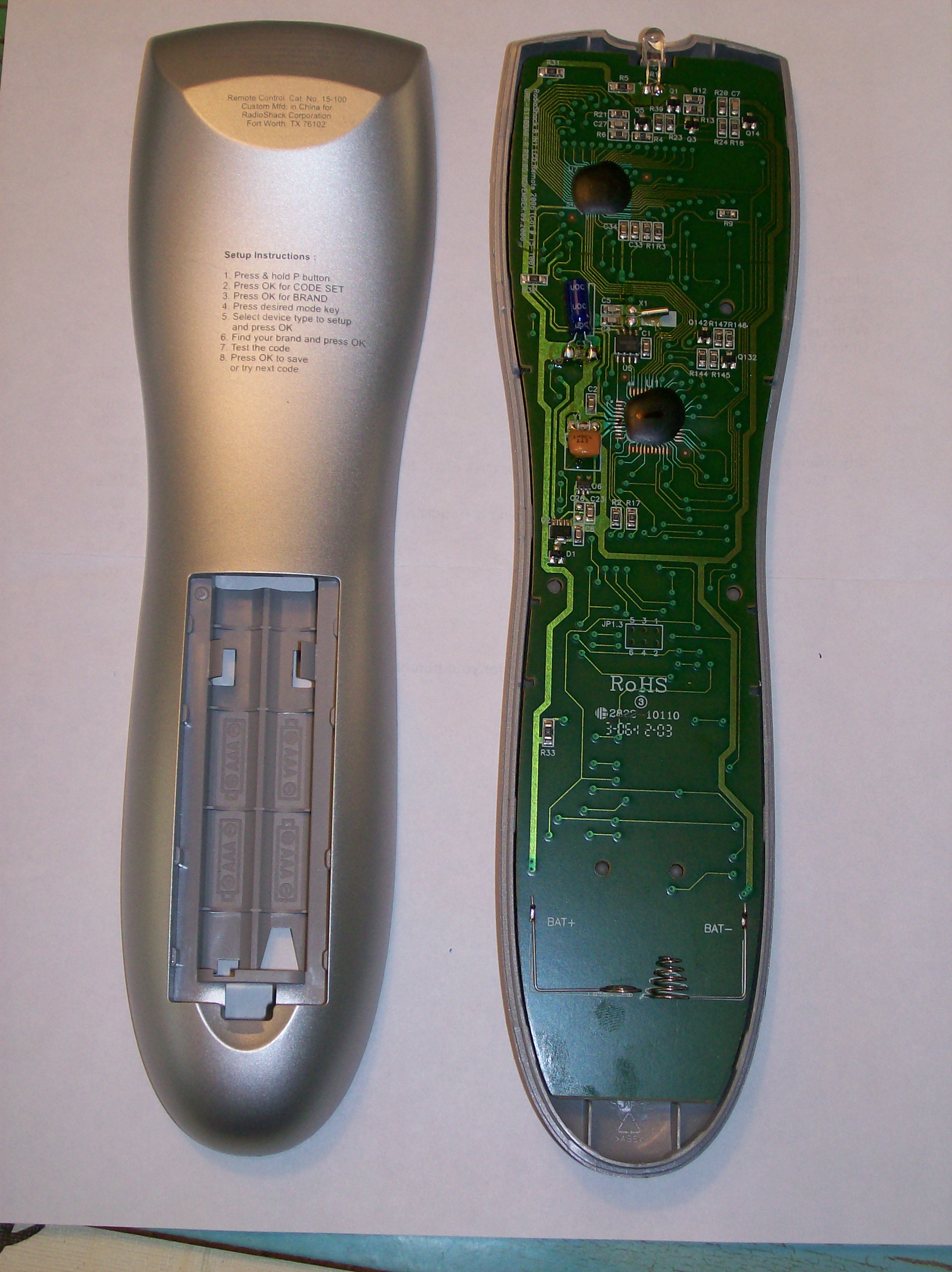
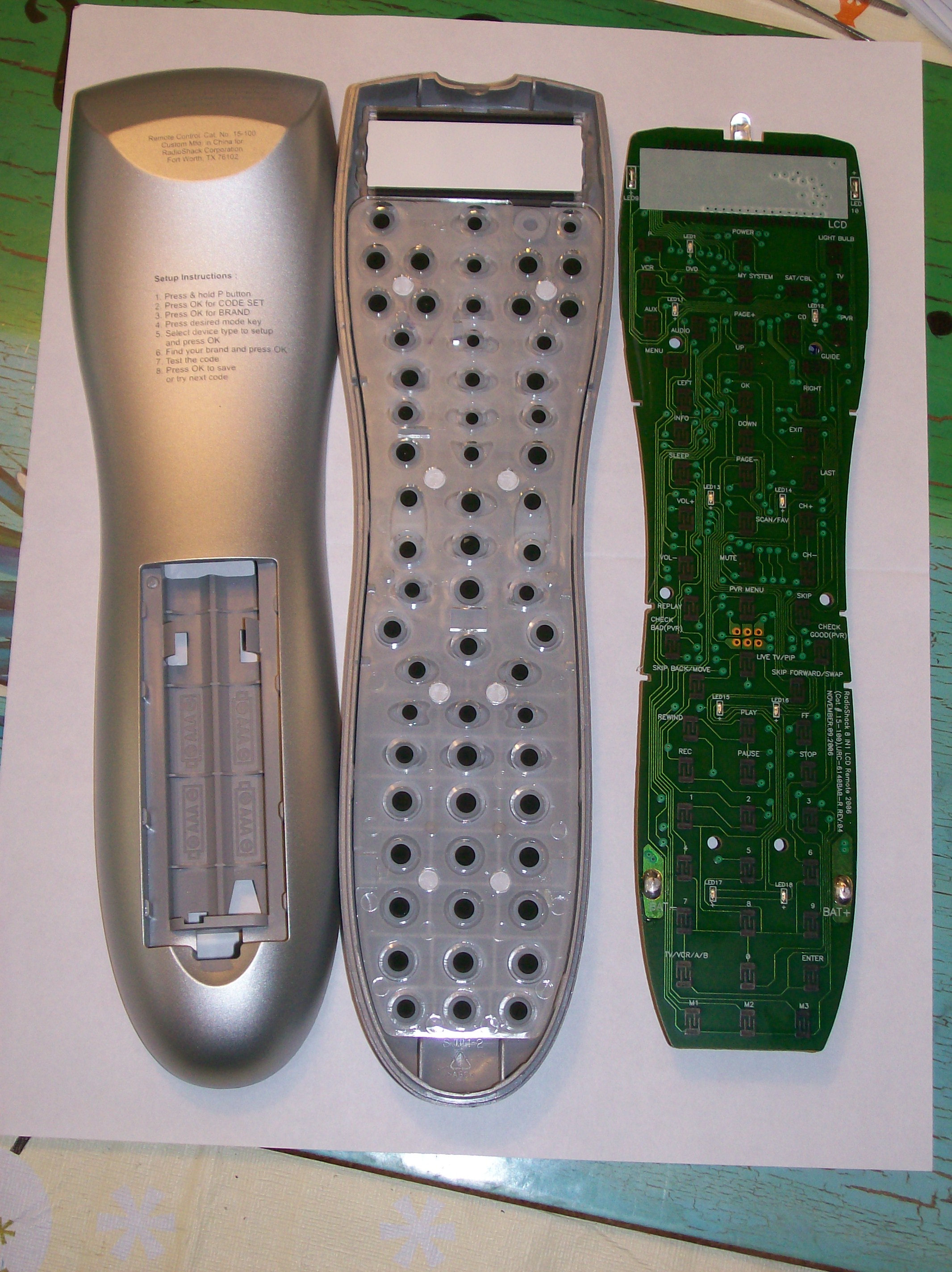
OK, so I picked up one of these on the way home to investigate it. While it's true that it doesn't have a 6-pin, if you open up the casing there are 6-holes on the PCB ready for one. The problem is that the holes don't line up with any hole in the casing, and even if you were to cut a hole, the pins would block the batteries, so the only option is to solder wires onto the holes and either have a 6-pin hanging out of the side or to cut a hole somewhere else in the casing for the 6-pin.
While either of these might work as a one time thing to create an RDF, etc I can't see regular users wanting to do this.
Posted: Sat Jul 07, 2007 6:35 pm
by The Robman
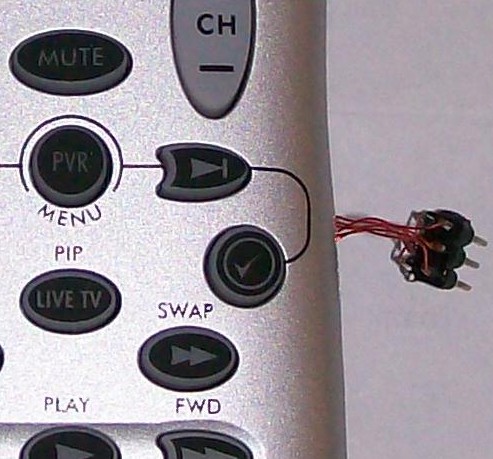
Just so I can download from the remote, I have soldered in a 6-pin using wires, so it's hanging out the side of the remote. Not very pretty, and not a solution for the masses, but at least it means I can get started on the RDF, etc.
I think Tommy Tyler is going to try to come up with a more elegant solution for the masses.
Just FYI, here's a couple of pics of the inside of the remote...
http://www.rockabilly.net/temp/15-100-pic1.jpg
http://www.rockabilly.net/temp/15-100-pic2.jpg
Posted: Sun Jul 08, 2007 9:27 am
by The Robman
One cool new feature on this remote is that it lets you display a user entered name for each of the device modes, so for example, rather than seeing ...
10156
TV
you could see
TOSHIBA
TV
or even
UPSTAIRS
TV
You have 10 characters to play with. You enter the characters either by using the numeric keypad, where the letters are printed above the numbers just like on your telephone, or you can use the up/down arrow buttons to scroll through the entire alphabet. The remote only lets you enter uppercase letters (no numbers), but the data is stored in the "EEPROM" so you can edit the text to use numbers if you like using JP1 (we just need to get IR.exe updated to handle this).
Posted: Sun Jul 08, 2007 9:55 am
by Mark Pierson
The Robman wrote:You enter the characters either by using the numeric keypad, where the letters are printed above the numbers just like on your telephone
Cool feature (no doubt inspired by JP1!).
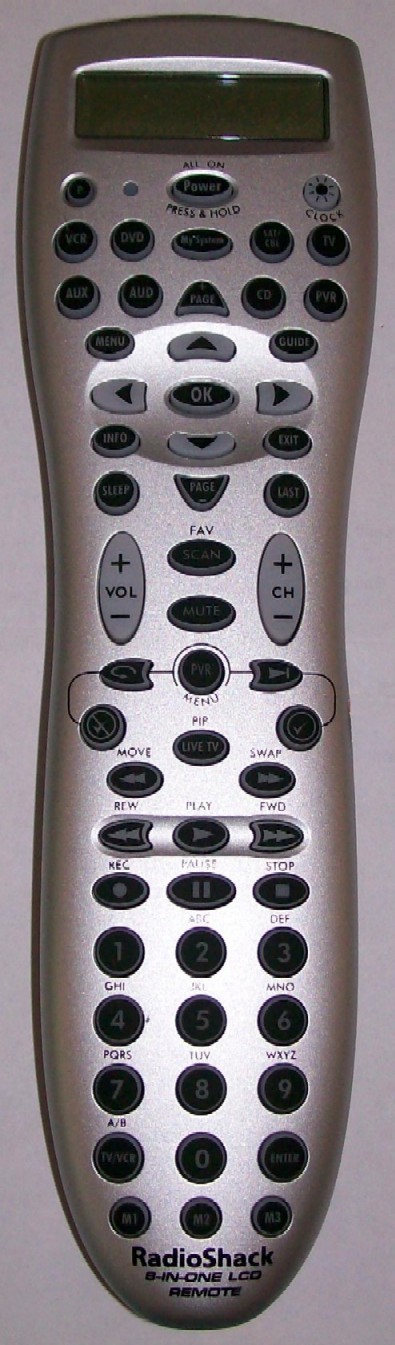
Can you post a close up of the remote's buttons? The RS image isn't that great.
Posted: Sun Jul 08, 2007 10:08 am
by The Robman
Sure, here ya go (click on it for more of a close-up)...
Posted: Sun Jul 08, 2007 10:13 am
by The Robman
It's a real pity that they didn't provide an accessable 6-pin connector for this remote because it could have proven to be a very popular remote. Hopefully they will have something similar in the near future under the OFA banner which does have a 6-pin.
Here's what my 6-pin looks like...
Posted: Sun Jul 08, 2007 11:17 am
by MaskedMan
Looks familiar, you sent back one of white directv remotes with pins attached wires coming out of one of the screw holes.
Rob can you list the directv sat codes?
Posted: Sun Jul 08, 2007 11:30 am
by vickyg2003
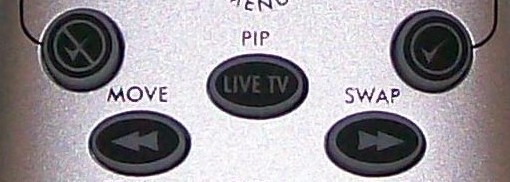
No PIP keys? !! This one definately wouldn't pass the with the sports fans in this house. As it is they can't remember that MOVE moves the PIP, how would they do without labels!
Posted: Sun Jul 08, 2007 11:59 am
by MaskedMan
vickyg2003 wrote:No PIP keys? !! This one definately wouldn't pass the with the sports fans in this house. As it is they can't remember that MOVE moves the PIP, how would they do without labels!
The Livetv key has PIP above it.
Posted: Sun Jul 08, 2007 12:24 pm
by The Robman
vickyg2003 wrote:No PIP keys? !! This one definately wouldn't pass the with the sports fans in this house. As it is they can't remember that MOVE moves the PIP, how would they do without labels!
Posted: Sun Jul 08, 2007 1:04 pm
by The Robman
Some flaws with this remote...
1) The P button is recessed, making it hard to use as a SHIFT button
2) It has the same backlight characteristic as the URC-8910, etc where the light turns off while you hold a button down.
3) The EXIT button is not programmable using keymoves, etc as it exits the onscreen programming.
Posted: Sun Jul 08, 2007 1:46 pm
by mr_d_p_gumby
The Robman wrote:2) It has the same backlight characteristic as the URC-8910, etc where the light turns off while you hold a button down.
But not to be overlooked here is the fact that this non-Kameleon remote actually
has a backlight!