Even if it may work, at least partially, this is not a good solution. Your learns are "dirty", leading to unreliable function. Most universal remotes can store only a small number (something like 10-30) learns, then its memory is full. Better to decode, and create a "device upgrade" out of these decodes. (See the wiki for the exact meaning or these terms.) Also, clicking and pasting a number of signals is errorprone and boring.
Instead,
IrScrutinizer (which Vicky forgot) can import a whole bunch of signals, and decode them, with very few clicks. Here is now to do it:
1. In the linked forum article, mark all the relevant codes, starting with the first name ("LEFT"), ending with the last code (almost at the end, after "0-"), and copy to the clipboard. The intervening talk lines do not disturb.
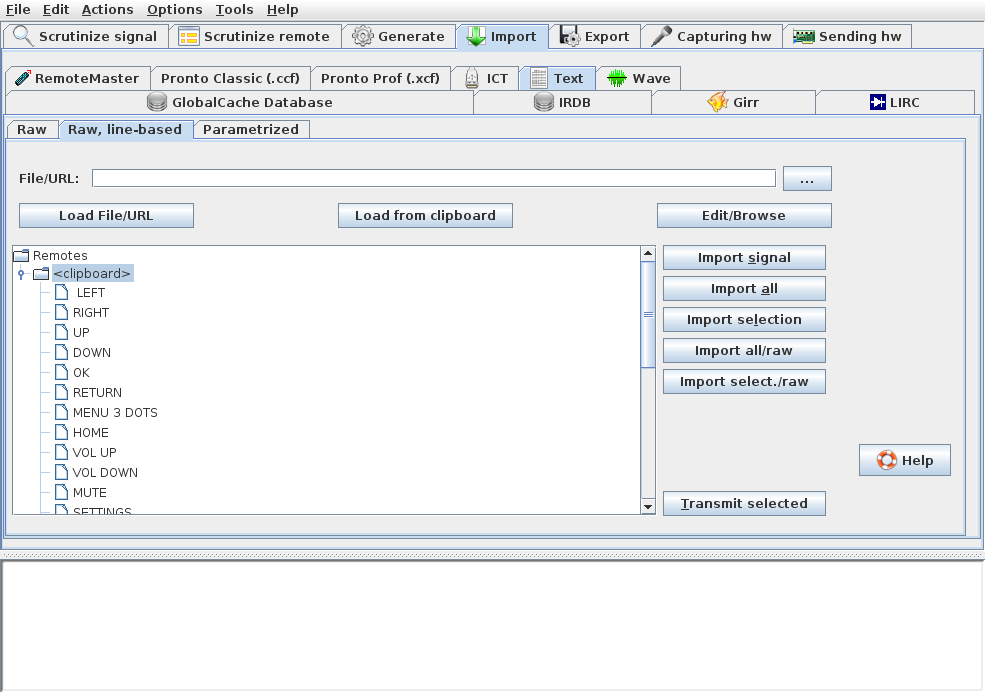
2. Start IrScrutinizer, select to the Import ->Text->Raw. line-based pane.Click the "Load from clipboard" button. In the tree widget, there should now be a <clipboard> node. Open it by clicking on the symbol just to the left of if. It should like:
http://www.harctoolbox.org/storage/irsc ... rt-ccf.png
3. Press "Import all". There comes a popup stating that import was successful. Jump to the table panel by pressing "OK" on the popup.
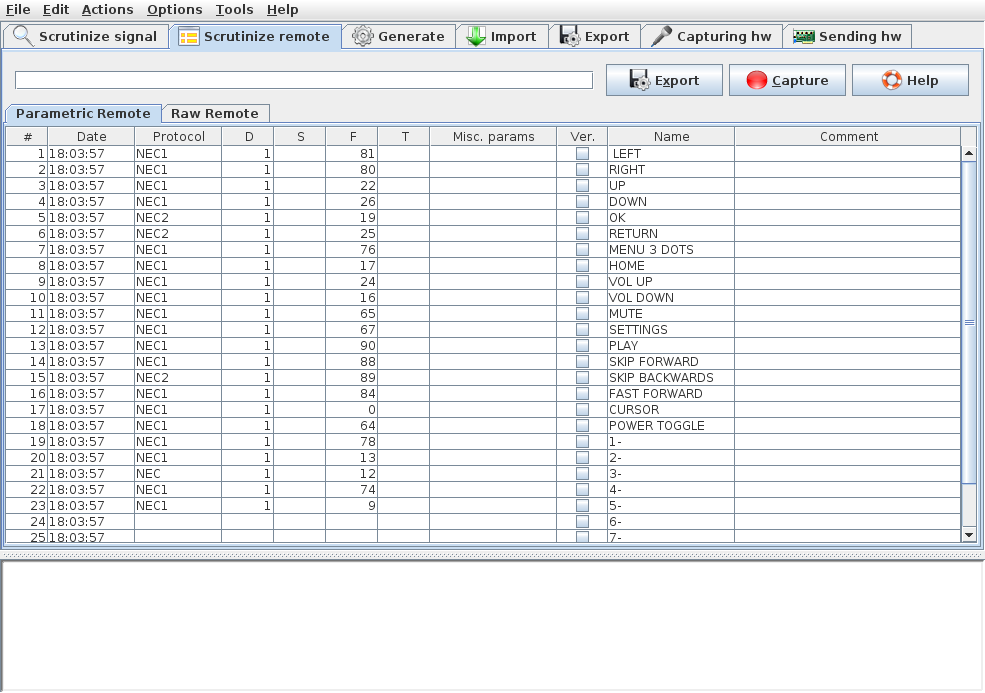
4. It should now look like:
http://www.harctoolbox.org/storage/irsc ... metric.png.
We now see that most, but not all, signals decoded as NEC1, one as NEC, three as NEC2, three did not decode at all. Likely, these signals were incorrectly captured. For the purpose of this example, we change NEC and NEC2 to NEC1 manually (click in the cell and edit), and just delete the non-decoded signals (mark that signal with a single click, right-click, and select "Delete selected").
5. Select the "Export" pane, and the "RMFunctions" as export format. Press "Export parametric remote" (alternativelly, "Export" with the Scrutinize remote->Parametric Remote selected). This exports the signals to a tab separated text file, that can be read by e.g. Excel.
We should now import this file into RemoteMaster. There are some steps for this:
6. Open the export file with a program of your choice. Just selecting Actions->Open last export file in IrScrutinizer may suffice.
7. Open Remotemaster. Since we are making a NEC1 based update, select Protocol NEC1. Select the "Functions" pane and (optionally) delete the cruft already there.
8. We see that the RemoteMaster table needs OBC (=F in IrScrutinizer) as column #4. Therefore, in the spreadsheet, introduce a new, empty, column after the names column. Mark and copy the interesting area from first name (LEFT) to last F/OBC.
9. Mark the name column in the first line of the Functions table in RemoteMaster. Press Paste in the right-mouse-button popup menu.
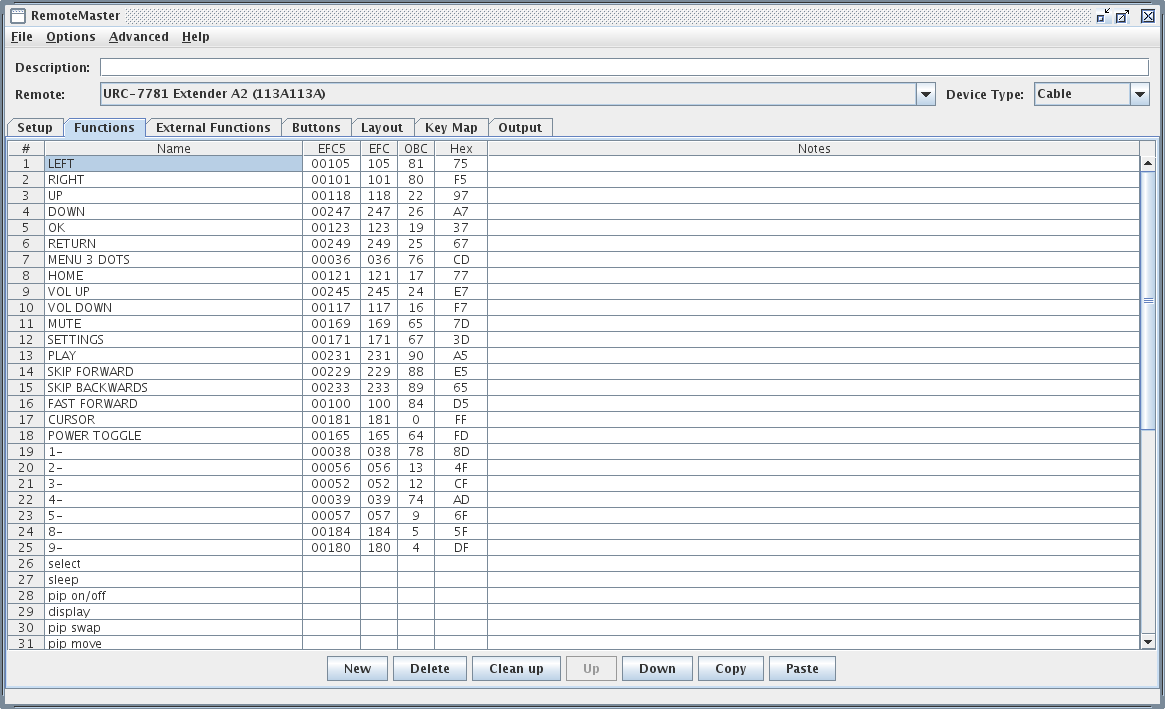
RemoteMaster should now look like
http://www.harctoolbox.org/storage/remo ... ported.png
(here, I did not clean the initial cruft.)
10. Continue designing the device update in RemoteMaster as described in the Wiki and in its manual.
I hope to be able to extend Remotemaster to import from IrScrutinizer directly later this year, thus eliminating step 6-9.
 I was looking for something like that, but did not find it. sorry.