...trying to do now is set up a macro so that when I hold down the power button it turns everything off (assuming everything is on to start with)..
All edited many times:
TV;(buttonX);PVR;(ButtonX);DVD;(ButtonX);EXTRA;(ButtonX) - on the long side of the LKP should do it,
- (ButtonX) being another place to put the Power Function in each device, to avoid making an infinite loop.
- btw you could leave the power functions on the power buttons and do the shift cloaking mentioned by mathdon, by calling (empty) Shift-Power buttons, as (buttonX)s.
- As it stands this would leave the remote in the EXTRA device mode, so you might want to add 'TV' or 'PVR', or turn one of those off last.
- Yes I see that, assuming the Power Functions are toggles rather than discrete commands, it would do All Off and All On alternately.
- As usual everyone does things in his/her own way and otherwise you may not want to use combo-modes themselves, but see 4.6 in the manual about ticking/unticking the the power button boxes in the Activities tab.
- In the screenshot there are some editing features missing fom the LKP definition window, please see the last comments below.
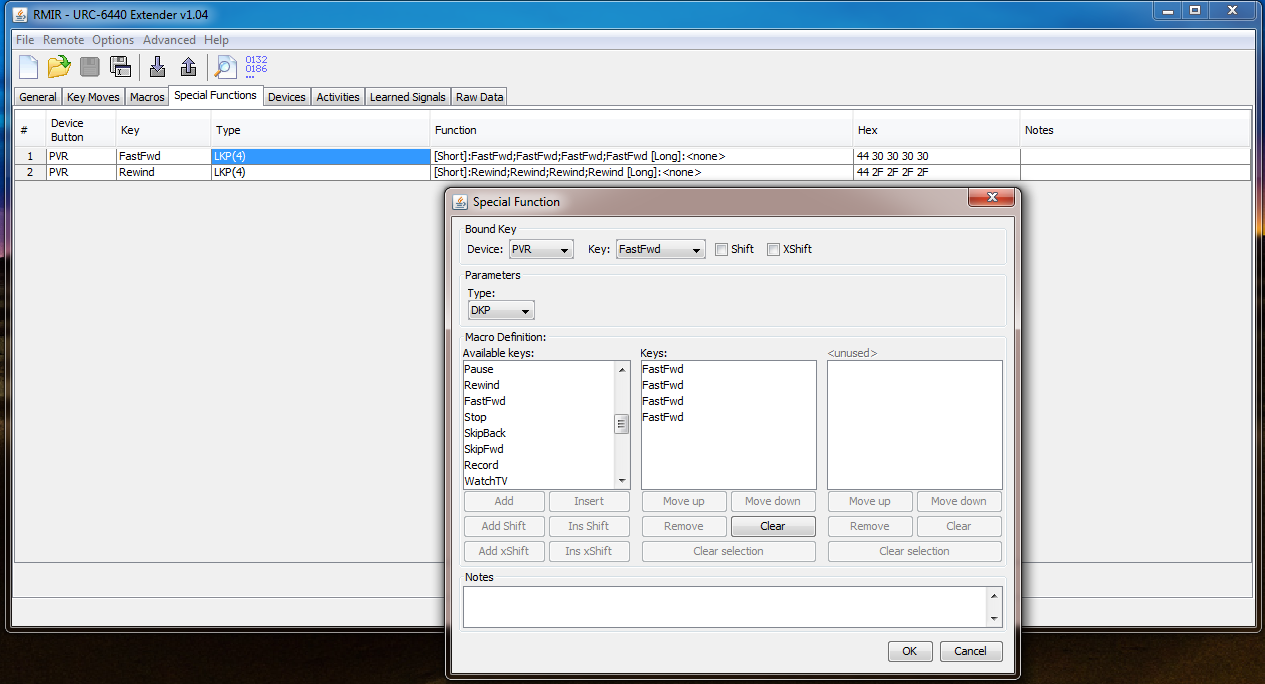
...Setup a macro so that when in the PVR device, and press the forward button twice (DKP), or rewind button twice, the macro presses those buttons four times...
- You may already appreciate that these buttons serve both for FastFwd and SkipFwd and for Rewind and SkipBack, which is illustrated by their split labels in the device editor.
- That is discussed in various threads, and seem to remember that it may affect macros, even with the extender. If so, it is sure to be in the manual.
- The macros would call themselves, so in any case the repeated functions would need to be located somewhere else.
(in the DKP setup)...But when I set them up and click ok, they show up as LKP(4)...
Thanks for the screenshots:
- Although the term 'Type' and 'DKP' below it, do show in the Special Functions window, there is no term 'Duration', with the default '(4)' in a box below it,
which should both be shown there,
(and the same problem is apparent in the earlier screenshot of the LKP definition window).
- It seems something might have gone wrong with the installation of the Extender, or perhaps with loading any pre-saved .rmir, so think it would be worth redoing things to make sure.
It is very early days at the deeper end but, if it is any comfort, you have generally done better than I did


 especially as I have plenty to learn too...so please keep on asking or correcting if needed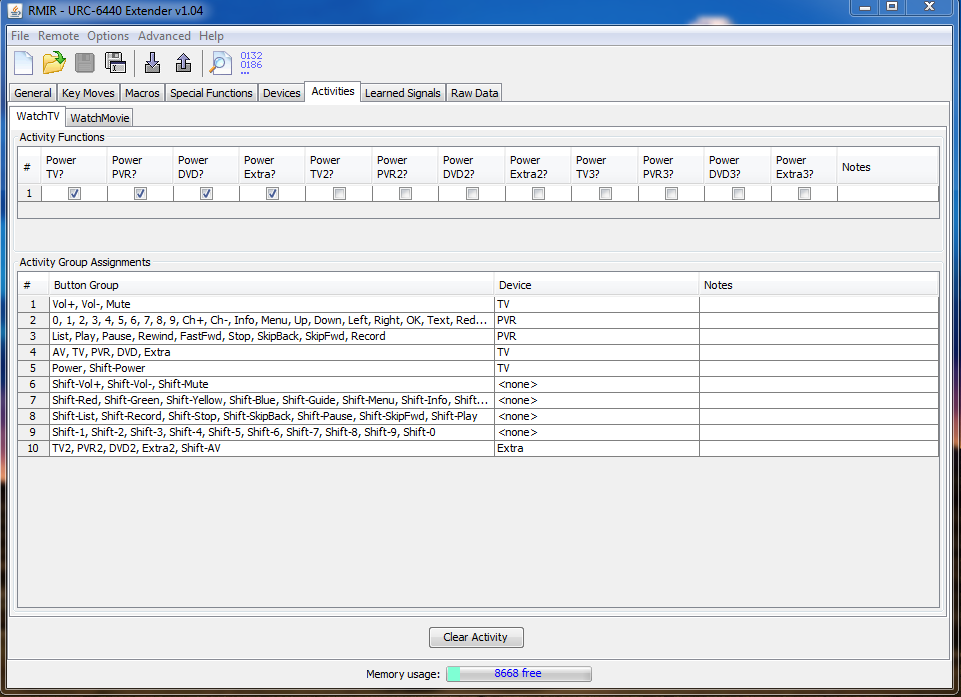

 .
.