Barf wrote:The UI of IRTool is a catastrophe. It opens popup windows, the only thing you can do with them is to write their content to a piece of paper (on paper or a file), and then click it away. (Or making a window/screen dump.) Not even the clipboard is supported...
IRTool was great, when that was all there was, but all the new stuff is far superior. IRTool used to intimidate me, because for the first 3 years I tried it, I never got the popup window, just all those cryptic numbers. This was user error of course. Didn't know I had to have decodeIR in the same folder.

Even after I got it working, writing the numbers down was always a problem for me.
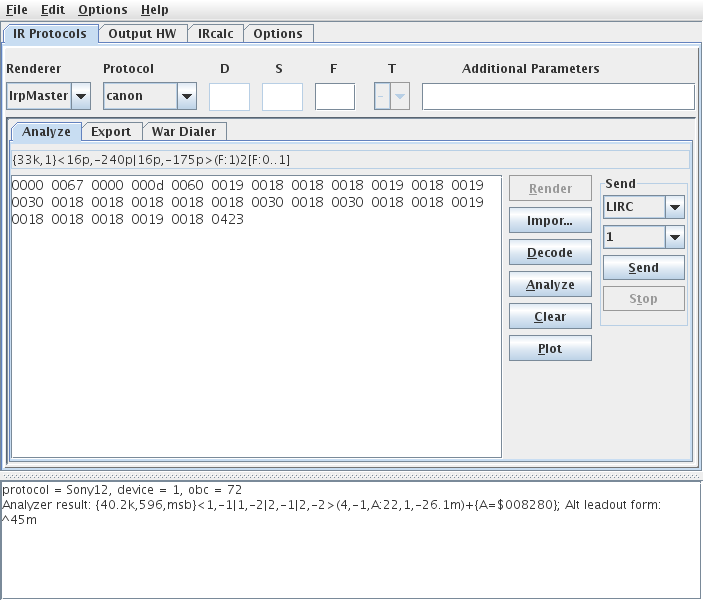
IrMaster writes all the outputs into the console window (the lower part). You can make multiple decodes; they are output to the console. Its content can be save to a text file (File -> Save console text as...) or, in part or as a whole, stuffed into the clipboard. So I guess that answers your question with a "yes".
Good to know
Slightly different subject: RMIR is considered weak on learned signals in comparison to IR. What exactly is RMIR missing?
Gee, where to start. I guess the first thing, for me at least is that I like to see "Force Learn Timings". That's a menu option on the Advanced menu. Even if a signal decodes, I want to see all the timing data and signal structure. It really helped me, in my protocol studies. And its very helpful in diagnosing problems, if the learns work, but the upgrade doesn't.
The second thing I like is the code summary that IR will produce. The code summary, lets me see all the decodes in a list, great for copying and pasting, without having to retype anything. Again, I transpose numbers, so anything I can do with copy and paste is great as far as I am concerned, even if it does mean dumping them into an interim spreadsheet.
Then you get into the whole un-decoded signal things. This is a little over my head, because I can't do the by hand decodes because of the transposing of numbers. IR produces a timing summary text file that is very useful in analyzing signals. Rob uses these files to dump into spreadsheets to determine a patern. IR also has a rounding of timings and a bi-phase thingy that I don't know how to use.
Many of these features are only available, if the Force Learn Timings option is checked on the Advanced menu. Very, very helpful. Even the IRP form is more helpful in IR than anywhere else. On a simple signal the IRPform is printed in list, which is perfect because everything is right there to be seen.
IR is much, much friendlier when it comes to learns.