Importing raw remote from IrScrutinizer to RemoteMaster

Miscellaneous threads preserved here for your amusement. Some are just funny, others are from users who were banned for their behavior.

Moderator: Moderators

Post Reply
rah
Posts: 12
Joined: Tue May 05, 2020 4:30 pm

Importing raw remote from IrScrutinizer to RemoteMaster

Post by rah »

Hi all,

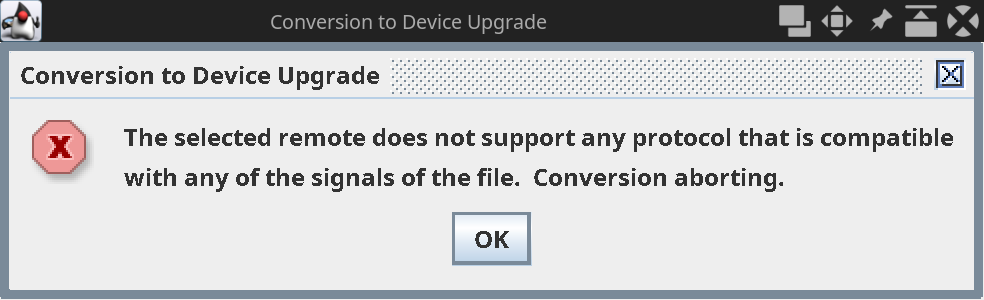
I have an XSight Plus which I'd like to use to emulate a couple of remotes, the first being a Denon DVD remote (for which I can find no working device upgrade). I've captured a bunch of raw signals using IrScrutinize and my IrToy. None of the signals are decoded by IrScrutinizer. I've exported the raw remote as a .girr file but when I load it into RemoteMaster, I get an error dialog box which says
Conversion to Device Upgrade
The selected remote does not support any protocol that is compatible with any of the signals of the file. Conversion aborting.
Image

(How) can I add raw remote codes? The remote has the capacity to learn so surely it should be possible to load raw remotes as learned functions? I'd rather avoid learning using the remote itself because learning won't work for one of the buttons on another remote and it's a big pain to learn lots of functions.

Thanks,

rah
Barf
Expert
Posts: 1522
Joined: Fri Oct 24, 2008 1:54 pm
Location: Munich, Germany
Contact:

Post by Barf »

1. From my experience, it is very unlikely that your particular Denon DVD (tell us the exact model number) uses a non well known. Denon in general uses the "Denon" protocol (by the firm Denon called "Sharp" :-)) or Denon-K. So you have most likely made a mistake when capturing. There are ton-wise of Denon command sets around, in IrScrutinizer, select Import .> RemoteLocator, select "Select me to load", the select Denon as manufacturer, then DVD Player or DVD (standard) as Device type, ... You can try it directly from IrScrutinizer using IrToy.

There are also upgrades in the file section here.

2. To my knowledge, importing raw, non-decodable, signals in Remotemaster is not supported. (Graham, correct me if I am wrong.) It would also not be sensible, for a number of reasons. We may be able to teach Remotemaster to do it, but I do not think it is a good idea.

The error message is adequate and reasonably understandable.
rah
Posts: 12
Joined: Tue May 05, 2020 4:30 pm

Post by rah »

Barf wrote:So you have most likely made a mistake when capturing.
I used the guide here as a reference http://www.hifi-remote.com/wiki/index.p ... izer_Guide . I'm not sure what kind of mistake you think can be made. Once the hardware is set up, you literally press one button on the "Scrutinize signal" tab, "Capture", then point the remote and press. It's not rocket science.
Barf
Expert
Posts: 1522
Joined: Fri Oct 24, 2008 1:54 pm
Location: Munich, Germany
Contact:

Post by Barf »

rah wrote:I'm not sure what kind of mistake you think can be made.
There are many possible: disturbances (in patricular florescent light and sunlight), too short or too dirty send. etc. The IrToy also have a peculiarity that it listens around 1.5 seconds before it is sure that the signal has ended.

My recommendation is that you "practice" with a remote you know well: Sony, NEC, Philips (RC5 or RC6).
rah
Posts: 12
Joined: Tue May 05, 2020 4:30 pm

Post by rah »

Barf wrote:There are many possible: disturbances (in patricular florescent light and sunlight), too short or too dirty send. etc.
The guide nor any other documentation made any mention of any of those issues so I'm not sure why you're using the word "mistake" to describe my actions.
Barf wrote:The IrToy also have a peculiarity that it listens around 1.5 seconds before it is sure that the signal has ended.
Again, that doesn't describe a "mistake" that can be made.
Barf wrote:My recommendation is that you "practice" with a remote you know well: Sony, NEC, Philips (RC5 or RC6).
I've captured an NEC1 device upgrade which I created myself (which you may recall). Nothing is decoded by IrScrutinizer. The "Decode" field remains empty no matter which button is pressed.

Looks like there's a problem with IrScrutinizer not working properly.
rah
Posts: 12
Joined: Tue May 05, 2020 4:30 pm

Post by rah »

mdavej wrote:Bad learns are your fault. Sorry if that offends you.
My concern with Barf's use of the word "mistake" is not over who has responsibility for completing an action correctly but instead over how one communicates respectfully with other people. Something I dare say you yourself should pay attention to.
mdavej wrote:Could be many things, starting early/late, too close, too far away, not held long enough, held too long, ambient light interference, weak batteries, etc. Many ways you can mess up learns. If the learns are good but Scrutinizer won't decode, then you've missed something else in the process.
This doesn't help me. You're just spouting a tautology. Of course if the capture is good and IrScrutinizer doesn't display anything in the "Decoded" field then there must necessarily be a problem somewhere. That's basic logic. I'm not sure what you're trying to achieve by stating that.
mdavej wrote:Take a deep breath and try again.
Try what? Precisely? Do you have anything constructive to contribute?
The Robman
Site Owner
Posts: 21925
Joined: Fri Aug 01, 2003 9:37 am
Location: Chicago, IL
Contact:

Post by The Robman »

If I may, rah, I think you might be wearing out your welcome here. Perhaps you might want to find another forum where your attitude might be appreciated.
Rob
www.hifi-remote.com
Please don't PM me with remote questions, post them in the forums so all the experts can help!
Post Reply